Applicant Tracking System
October 14, 2026
How to Choose an Applicant Tracking System (ATS) in 2026
Choosing an ATS in 2026 is about more than feature lists. Learn how to evaluate hiring workflow, explainable AI, candidate experience, integrations, security, pricing and implementation before you buy.

Choosing an Applicant Tracking System used to be relatively straightforward.
You needed somewhere to publish jobs, collect applications, store resumes, move candidates through stages, schedule interviews, and track offers. If the system could replace your spreadsheets and reduce the number of emails flying between recruiters and hiring managers, it was already solving a meaningful problem.
That definition is no longer enough.
In 2026, an ATS sits much closer to the centre of the recruiting operation. It may connect job boards, sourcing channels, assessments, calendars, HRIS platforms, background checks, analytics, candidate communications, and AI-powered recruiting workflows. Modern systems are increasingly expected to help recruiters find candidates, understand candidate data, automate repetitive work, and make faster decisions while keeping humans involved in consequential hiring decisions.
That creates a new problem for buyers. There are more ATS options than ever, and almost every vendor has a long feature list.
AI screening. Candidate matching. Recruitment automation. Analytics. CRM. Scheduling. Career sites. Assessments. Integrations. Generative AI. Talent pools.
The focus is shifting from choosing an ATS with the most features to finding one that genuinely improves the hiring process and makes recruitment more efficient.
That distinction matters because an ATS can look impressive during a sales demo and still become another system your recruiters work around six months later.
This guide explains how to choose an ATS in 2026 by focusing on the things that actually affect recruiting performance: hiring workflow, AI capabilities, candidate experience, integrations, reporting, security, scalability, implementation, and total cost of ownership.
What is an Applicant Tracking System?
An Applicant Tracking System, or ATS, is recruiting software that centralizes the process of managing candidates from job creation and application through screening, interviews, selection, and hiring.
At its simplest, an ATS acts as the system of record for recruitment. It stores candidate profiles, resumes, applications, interview feedback, communication history, hiring stages, and other information needed to move candidates through the recruitment funnel. Modern ATS platforms increasingly add automation, analytics, sourcing capabilities, candidate relationship management, and AI-assisted workflows.
But an important distinction is often missed.
An ATS is not valuable because it stores candidate data. It is valuable because it helps your recruiting team turn candidate data into hiring action. That means the quality of the workflow matters more than the number of fields in the database.
A recruiter should be able to open a requisition, attract candidates, review them, collaborate with hiring managers, schedule interviews, collect structured feedback, make a decision, and complete the hiring process without constantly switching between disconnected tools.
That is the standard a modern ATS should be measured against.
Why Choosing an ATS in 2026 is Different
The ATS market has changed because the recruiting process itself has changed.
Hiring teams are working across more channels, dealing with larger volumes of candidate information, and increasingly using AI to support sourcing, screening, communication, and workflow management. At the same time, organizations are paying closer attention to data privacy, AI governance, candidate experience, and the measurable return from recruiting technology.
AI is particularly important. But simply having an AI label on an ATS does not tell you much.
Nearly every modern recruiting platform can claim some form of AI functionality. The real differences are in what the AI can actually do, what data it can access, how transparent its recommendations are, and how much control recruiters retain.
A useful 2026 ATS therefore needs to perform two jobs simultaneously. It must be a reliable system for managing recruitment.
And it must provide an intelligent layer that helps recruiters work faster and make better-informed decisions.
Start With Your Hiring Problem, Not an ATS Feature List
The biggest ATS buying mistake happens before the first vendor demo. Teams start browsing software websites and collecting feature lists without first defining what they actually need the system to solve.
That sounds harmless, but it creates a predictable outcome. Vendors demonstrate their strongest features, your team gets impressed by different things, and suddenly you are comparing 150 features without knowing which ones matter to your business.
Start with your current hiring process.
• Where does recruiting slow down?
• Are recruiters spending too much time screening resumes?
• Are hiring managers slow to provide feedback?
• Are candidates dropping out during applications?
• Are recruiters manually scheduling interviews?
• Are sourcing and applicant tracking disconnected?
• Are you hiring across multiple countries?
• Do you need high-volume recruiting?
• Are you struggling to measure source quality or recruiter productivity?
Your answers should determine the ATS requirements.
A company hiring 30 specialized employees a year does not necessarily need the same ATS as a company hiring 3,000 frontline workers.
Similarly, a rapidly growing startup may prioritize ease of use and integrations, while a global enterprise may need sophisticated permissions, compliance controls, localization, workflows, and data governance.
The right ATS is contextual.
Step 1: Define Your Hiring Volume and Recruiting Model
Before comparing ATS platforms, understand the shape of your hiring operation.
How many jobs do you typically have open at once? How many applications does each role generate? How many recruiters use the system? How many hiring managers need access? Do you hire continuously or in bursts? Are you recruiting for corporate, technical, frontline, campus, or high-volume positions?
These questions influence almost every other buying decision. A startup with five recruiters and 30 open positions may prioritize simplicity and fast adoption. A company hiring thousands of workers across locations may need bulk workflows, automated screening, scheduling, candidate communication, and strong reporting.
Your ATS should support today's workflow without becoming a bottleneck as hiring volume increases. But avoid buying software based entirely on an imagined future.
Paying for enterprise complexity before you need it can be just as problematic as buying a system you outgrow within a year.
Step 2: Separate Must-Have ATS Features From Nice-to-Have Features
Once you understand your hiring model, create two lists.
The first is your must-have ATS functionality. The second is everything that would be useful but is not essential.
Core ATS capabilities typically include:
• Job requisition management
• Job posting and distribution
• Candidate application management
• Resume parsing
• Candidate pipeline management
• Interview scheduling
• Hiring manager collaboration
• Candidate communication
• Offer management
• Role-based permissions
• Integrations
These are the foundation.
But your organization may need additional capabilities around sourcing, talent pools, CRM, assessments, background checks, onboarding handoffs, multilingual recruiting, or high-volume hiring.
The important thing is to define these requirements before talking to vendors. Otherwise, the vendor's product architecture ends up defining your requirements for you.
Step 3: Evaluate AI Based on What It Actually Does
“AI-powered ATS” is no longer a meaningful differentiator by itself. In 2026, you need to ask a much more specific question: Where does AI actually improve the recruiting workflow?
Some systems use AI to summarize resumes or draft job descriptions. Others use AI for candidate matching, screening, sourcing, interview preparation, analytics, or candidate communication. The depth and quality of these capabilities vary significantly.
Ask vendors to demonstrate the AI using your actual job descriptions. For example, give the system a difficult role and ask it to identify suitable candidates. Then ask:
• Why did it select these candidates?
• What evidence supports the recommendation?
• What qualifications did it consider essential?
• Which candidates were rejected and why?
• Can recruiters change the criteria?
• Can recruiters override the recommendation?
• Does the system use semantic or contextual matching, or is it primarily keyword based?
These questions reveal far more than an AI feature page. A modern ATS should help recruiters process information. It should not create an opaque hiring decision that recruiters cannot understand.
Step 4: Look for Explainable AI, Not Black-Box Candidate Scores
Candidate scoring is one area where ATS buyers need to be particularly careful. A system that says “Candidate A: 92% match” may look sophisticated.
But what does 92% actually mean?
If recruiters cannot understand why the candidate received that score, the number has limited practical value.
Good AI-assisted recruiting should provide evidence. Perhaps the candidate has seven years of relevant experience, has worked with the required technology, and has managed a similar customer segment. Or perhaps the candidate meets most requirements but lacks a mandatory certification. That context allows recruiters to make informed decisions. It also makes it easier to identify mistakes.
If an AI system consistently ranks candidates with a particular job title above equally qualified candidates with different titles, recruiters can investigate the underlying logic. In 2026, explainability should be part of your ATS evaluation rather than an optional extra.
Step 5: Test the Candidate Experience Yourself
Most ATS demos focus on the recruiter. That is a mistake.
The candidate experience is equally important. Before buying an ATS, apply for one of your own jobs.
Use a phone and try uploading a resume. Complete the application and schedule an interview. Look at the emails you receive. Try abandoning the application and returning later.
Ask yourself how the process feels. Is it fast? Is it clear?
Does the candidate understand what happens next? Does the application ask for unnecessary information? Does the system work well on mobile? Does the communication feel professional?
A clumsy application process can quietly reduce the number of candidates who complete applications. Current ATS buyer guidance consistently treats mobile-friendly application flows, clear communication, and candidate experience as core evaluation criteria rather than secondary features. Your ATS is not just internal software. It is part of your employer brand.
Step 6: Examine Automation Where Recruiters Actually Lose Time
Automation should remove repetitive work. But not every automation feature produces meaningful value. Sending an automatic email after an application is useful. Automatically reminding a hiring manager to submit feedback is useful.
Automatically moving a candidate after a completed assessment can be useful. But the bigger question is whether the ATS can eliminate the repetitive coordination that consumes hours every week.
• How many steps require manual intervention?
• Can the system trigger communications?
• Can it schedule interviews?
• Can it remind hiring managers?
• Can it move candidates between stages?
• Can it identify stalled candidates?
• Can it automate rejection communication?
• Can recruiters create different workflows for different hiring types?
The more repetitive administration the system can reliably remove, the more valuable it becomes for a lean recruiting team.
Step 7: Look Beyond the ATS at Your Entire Hiring Stack
Your ATS will rarely operate alone. It may need to connect with your HRIS, payroll platform, calendar, email, assessment tools, background verification provider, job boards, sourcing platforms, identity provider, analytics stack, and other recruiting applications.
This makes integration quality one of the most important ATS selection criteria.
Instead of focusing only on how many integrations a platform offers, consider what information flows between these systems, how frequently it syncs, and what happens if an integration fails.
A vendor may list 100 integrations that barely exchange meaningful data. Another may have fewer integrations but deep, reliable connections to the tools your organization actually uses.
APIs also matter if you have custom systems or future automation plans. Modern ATS guidance increasingly recommends involving IT or HR technology stakeholders early because integration limitations can become expensive after implementation.
Step 8: Evaluate Reporting and Recruiting Analytics
An ATS should not simply tell you how many candidates are in each stage. It should help you understand why your hiring process performs the way it does. At minimum, evaluate reporting around:
• Time to shortlist
• Source of applicants
• Source of hires
• Candidate conversion rates
• Interview conversion
• Offer acceptance
• Candidate drop-off
• Recruiter workload
• Hiring manager response time
• Cost per hire
But dashboards are only useful if the underlying data is reliable. Ask whether the metrics are native, configurable, exportable, and updated automatically.
If your recruiting leadership team has to download three spreadsheets and manually combine them every Monday, you do not really have recruiting analytics.
You have reporting homework.
Step 9: Check Security, Privacy and Access Controls
An ATS contains highly sensitive personal information. Candidate resumes, contact information, employment history, interview notes, compensation expectations, assessments, and other personal data may all sit inside the platform.
Security should therefore be evaluated before commercial negotiations, not after the contract is signed.
Ask about:
• Data encryption
• Role-based permissions
• Single sign-on
• Audit logs
• Data retention
• Data deletion
• Data export
• Data residency
• Subprocessors
• Security certifications
• Incident response
• AI data usage
If you operate across regions, also evaluate the privacy requirements that apply to your organization and candidates. For AI-enabled ATS platforms, ask an additional question: Is candidate data used to train or improve the vendor's AI models?
Do not assume the answer. Get it documented.
Step 10: Evaluate Scalability Without Buying Unnecessary Complexity
A good ATS should scale with your hiring operation. That does not mean you need every enterprise feature on day one. Instead, look at whether the platform can support growth in:
• Users
• Hiring volume
• Locations
• Business units
• Job types
• Candidate databases
• Workflows
• Reporting requirements
• Integrations
For a growing startup, ease of use may be more important than sophisticated organizational hierarchy. For a global organization, permission controls, regional workflows, languages, data residency, and compliance may become essential.
Match complexity to reality. The best ATS is not the most powerful system you can buy. It is the system whose power your team can actually use.
Step 11: Understand ATS Pricing and Total Cost of Ownership
The price on the vendor's website is rarely the full cost. Depending on the platform, you may pay separately for implementation, integrations, additional users, AI capabilities, job distribution, assessments, analytics, career sites, support, or premium modules.
Create a complete cost model that includes licensing, implementation, migration, integrations, add-ons, training, support, and internal administration costs.
Then estimate the cost over at least three years. Also ask what happens when your hiring volume increases.
• Does pricing scale by employee count?
• Recruiter seats?
• Active jobs?
• Applications?
• Hires?
• Usage?
• AI consumption?
The pricing model can have a major effect on long-term cost. A platform that appears inexpensive at 20 open roles may become considerably more expensive at 200.
Step 12: Evaluate Implementation and Data Migration
A great ATS that takes six months to implement badly can create more disruption than an average ATS that your team adopts quickly. Implementation should therefore be part of the buying decision.
Ask:
• How long will implementation take?
• Who owns migration?
• What historical candidate data can be imported?
• Will attachments migrate?
• Will interview notes migrate?
• Can existing workflows be recreated?
• Who configures integrations?
• What training is included?
• What happens after launch?
Data migration deserves particular attention when replacing an existing ATS. Historical candidates can represent significant institutional knowledge, and losing or fragmenting that information can undermine the value of the new system. The implementation plan should be documented before signing.
The Most Important ATS Questions to Ask Vendors in 2026
Before you sign a contract, take the time to ask every shortlisted vendor a few important questions. The answers will help you understand what the platform can actually do, what you’ll be paying for, and whether it’s the right fit for your team.
How does the AI actually work?
Start by understanding how the platform uses AI to match and rank candidates. What factors does it consider? Can recruiters override its recommendations? How does the vendor check for bias, and which AI features are included in your plan?
Will it work with the tools we already use?
Ask which integrations are available out of the box and which require additional tools or middleware. Find out what data gets synced between systems and whether you can use an API to connect the platform with your existing tech stack.
What will the experience be like for candidates?
Don't just take the vendor's word for it. Ask for a demo of the application process on a mobile device. Can you customize application forms to suit your needs? How are candidate emails and other communications handled?
How secure is our candidate data?
Find out where candidate data is stored, which security certifications the vendor holds, and how data deletion works. It's also worth asking how candidate information is used by the platform's AI and whether that data is used to train its models.
How much work will implementation involve?
Get a realistic timeline for getting started. Who will handle the migration from your existing system, and what historical candidate data can you bring across? Knowing this upfront can save your team a lot of time and frustration later.
What will we actually pay?
Ask what's included in the quoted price and which features or services cost extra. Find out whether you'll pay more as your hiring volume grows, so you can estimate the long-term cost rather than just the initial subscription.
And finally, what happens if we decide to leave?
Make sure you can export your candidate data if you move to another platform. Ask what format the data will be provided in and whether any restrictions or additional fees apply.
It's easy to overlook this last question when you're evaluating a new platform, but it's an important one. You should always know how to get your data back before you commit.
Common ATS Buying Mistakes to Avoid
The first mistake is choosing based on feature count. More features do not necessarily mean better recruiting.
The second is buying for the demo instead of the workflow. A polished demo environment may look very different from the daily experience of recruiters.
The third is ignoring the candidate. The recruiter interface can be excellent while the candidate application process is frustrating.
The fourth is treating AI as a checkbox. In 2026, the question is not whether the ATS has AI. It is whether its AI is useful, explainable, controllable, and relevant to your workflow.
The fifth is underestimating integrations. A disconnected ATS can create more manual work than the system eliminates.
The sixth is ignoring implementation. Migration, configuration, training, and adoption can determine whether an ATS succeeds.
The seventh is failing to calculate total cost of ownership. Cheap software can become expensive when essential features are sold as add-ons.
Should You Choose an ATS With AI Recruiting Agents?
This is one of the most important questions for ATS buyers in 2026. AI recruiting is moving beyond simple resume parsing and content generation toward systems that can perform connected recruiting tasks.
An AI recruiting agent may help discover candidates, screen applicants, qualify profiles, schedule interviews, communicate with candidates, or summarize interviews depending on the platform.
The potential advantage is recruiter leverage. Instead of using the ATS only as a database and workflow tracker, recruiters can increasingly use AI to execute repetitive parts of the hiring process.
But buyers should distinguish between AI features and genuinely useful AI workflows. Ask what the agent can actually do.
• Can it take action?
• Can it work across your candidate data?
• Can recruiters control it?
• Can they audit its recommendations?
• Can it operate inside existing workflows?
• Can it escalate exceptions?
If the answer is yes, you may be looking at a meaningful evolution of the ATS rather than another AI feature bolted onto traditional recruiting software.
Where Cooper Fits Into the Modern AI Hiring Stack
An ATS is fundamentally a system for managing hiring workflows. But managing candidates and finding, screening, and qualifying them are not necessarily the same problem.
This is where an AI hiring platform such as Cooper can complement the traditional ATS model. Cooper's AI agents are designed around different stages of the hiring workflow.
Coo focuses on candidate sourcing and discovery, helping recruiters find active and passive candidates.
Scout focuses on candidate screening and qualification, helping teams evaluate candidates against defined hiring requirements.
Robin supports structured AI interviews, capturing candidate responses and organizing information for recruiter review.
The broader idea is important for ATS buyers. Your ATS should remain the system that organizes the hiring process, but AI agents can increasingly handle the repetitive work that happens inside that process.
This creates a more modern recruiting architecture in which the ATS serves as the system of record, AI agents handle execution, and recruiters focus on judgment and decision-making.
That combination can be particularly valuable for teams dealing with high-volume hiring, lean recruiting teams, passive sourcing, or large candidate pipelines.
The Right ATS Should Make Your Recruiting Team Better, Not Just More Organized
An ATS should not be judged by how impressive it looks during a product demonstration. It should be judged by what happens after your recruiters begin using it every day.
Do recruiters spend less time on administration? Do hiring managers respond faster? Are candidates completing applications more easily? Can recruiters identify qualified candidates faster? Can leadership understand where the recruiting funnel is breaking? Does the platform integrate cleanly with the rest of the HR technology stack?
These are the questions that determine whether an ATS is actually creating value.
The best Applicant Tracking System in 2026 is not necessarily the one with the largest feature list, the most aggressive AI claims, or the biggest customer base. It is the platform that fits the way your organization actually hires and helps your recruiting team perform that work with less friction.
And that definition is changing. The next generation of ATS technology will not simply record what recruiters have done. It will increasingly help them do the work.
That is the shift ATS buyers should be evaluating now.
FAQs
1. What should I look for when choosing an ATS in 2026?
When choosing an ATS in 2026, evaluate core recruiting workflows, AI and automation, candidate experience, integrations, analytics, security, scalability, implementation, pricing, and human oversight. Do not choose based solely on feature count. Test shortlisted systems using real hiring scenarios and actual job descriptions.
2. How much does an Applicant Tracking System cost?
ATS pricing varies significantly depending on the vendor, company size, number of users, hiring volume, integrations, and additional modules. Some platforms charge per recruiter or employee, while others use active jobs, applications, usage, or custom enterprise pricing. Always calculate total cost of ownership, including implementation, migration, integrations, AI features, support, and add-ons.
3. Do small businesses need an ATS?
A small business can benefit from an ATS when hiring becomes difficult to manage through spreadsheets, email, and separate job boards. The right system can centralize candidate information, automate communication, improve hiring manager collaboration, and provide visibility into the recruiting funnel. Small businesses should prioritize simplicity and ease of adoption rather than purchasing unnecessary enterprise complexity.
4. What AI features should an ATS have in 2026?
Useful AI ATS capabilities can include candidate matching, contextual resume screening, candidate sourcing, interview assistance, automated communication, scheduling, candidate summaries, workflow automation, and recruiting analytics. Buyers should evaluate how these capabilities actually work, whether recommendations are explainable, what data the AI uses, and how much human control recruiters retain.
5. How do I compare two ATS platforms?
Compare ATS platforms using the same hiring scenario and a weighted evaluation scorecard. Evaluate core workflow, AI capabilities, candidate experience, integrations, analytics, security, scalability, implementation, support, and total cost of ownership. Then run a live trial using real or representative roles rather than relying only on vendor demonstrations.
6. Should I replace my ATS with an AI recruiting platform?
Not necessarily. An ATS and an AI recruiting platform can solve different parts of the hiring problem. An ATS provides the system of record for candidate and hiring workflows, while AI recruiting platforms or agents can automate sourcing, screening, qualification, and interviewing. For some organizations, integrating AI capabilities with the existing ATS may be more practical than replacing the entire system.
Read more
AI Recruiting
Startup Guide to Campus Recruiting Automation: Hire Top Talent Without Campus Visits
Startups do not need to visit dozens of campuses to hire early-career talent. Learn how virtual campus hiring, AI screening and automated interviews help lean teams run a scalable campus recruiting process, from outreach and assessments to offers and joining.
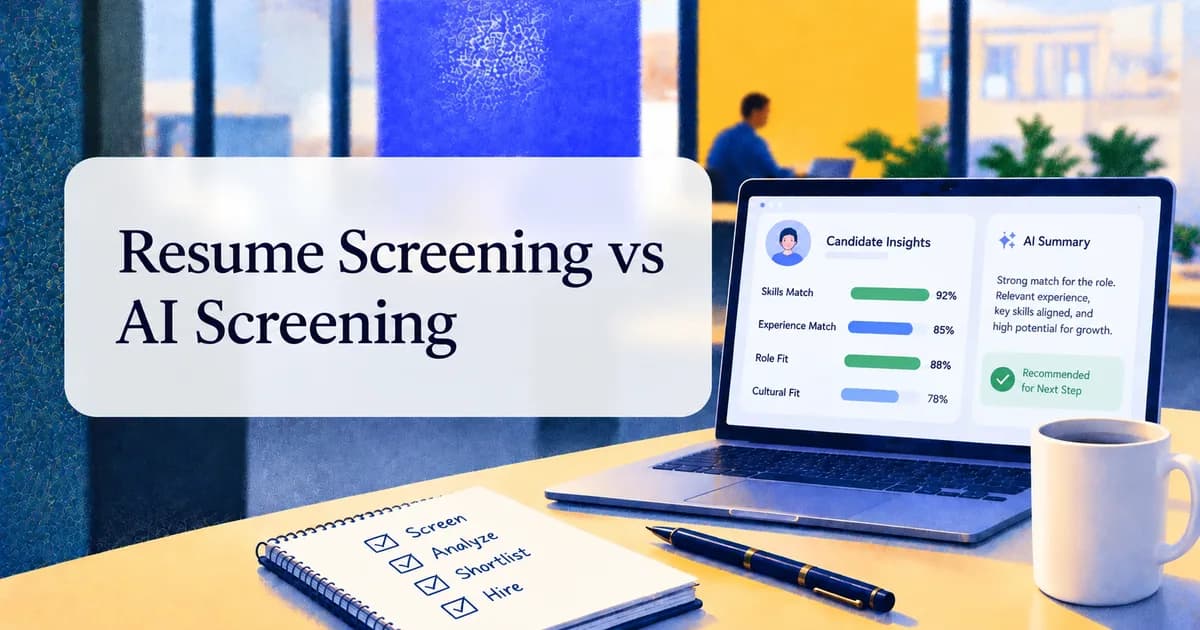
Candidate Screening
Resume Screening vs AI Screening: What Modern Recruiters Should Know
Manual resume review breaks down as application volume grows, but AI screening only helps when recruiters stay in control. Learn how resume screening and AI candidate screening differ, where each works best, and what to look for in AI screening software.
Industry Insights & Trends
The Future of AI in Recruiting: Insights From HR Experts
26 HR leaders, TA directors, staffing founders, and CEOs share how AI will reshape recruiting over the next two to three years, from candidate screening to final hiring decisions.